Cloud emulators in your browser
Connect to a running Android Automotive emulator from any browser tab. Multi-display IVI testing, GPS route playback, and full ADB and VHAL access, with no bench hardware on your desk.
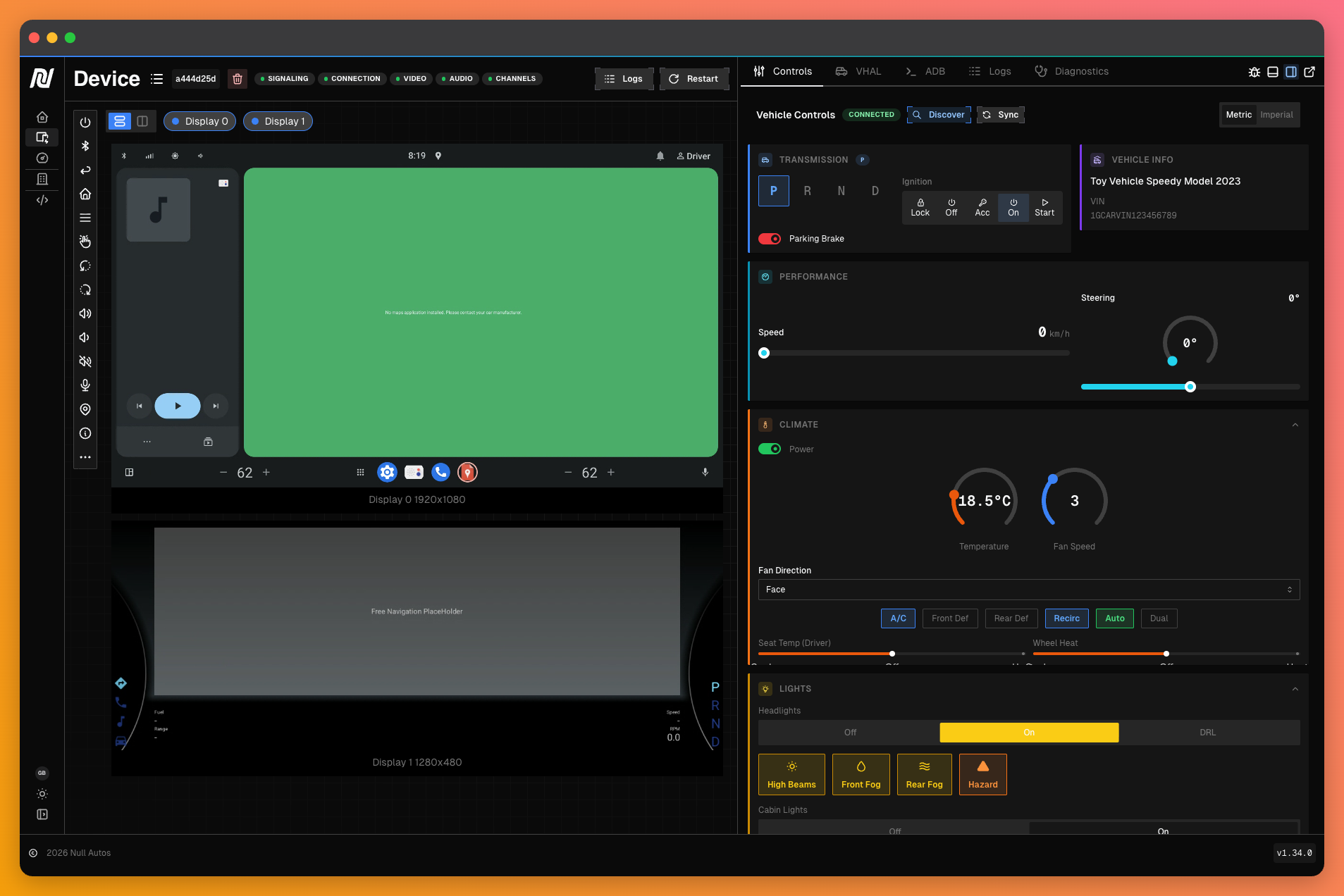
Multi-display IVI testing
Interact with multiple displays in varying configurations. Test cluster, center stack, and passenger displays together, with microphone input and audio output for voice assistant testing, all from your browser.
- Configurable display layouts
- Touch and input simulation
- Real-time screen mirroring
- Microphone input for voice testing
- Audio output routing
Debug without leaving the browser
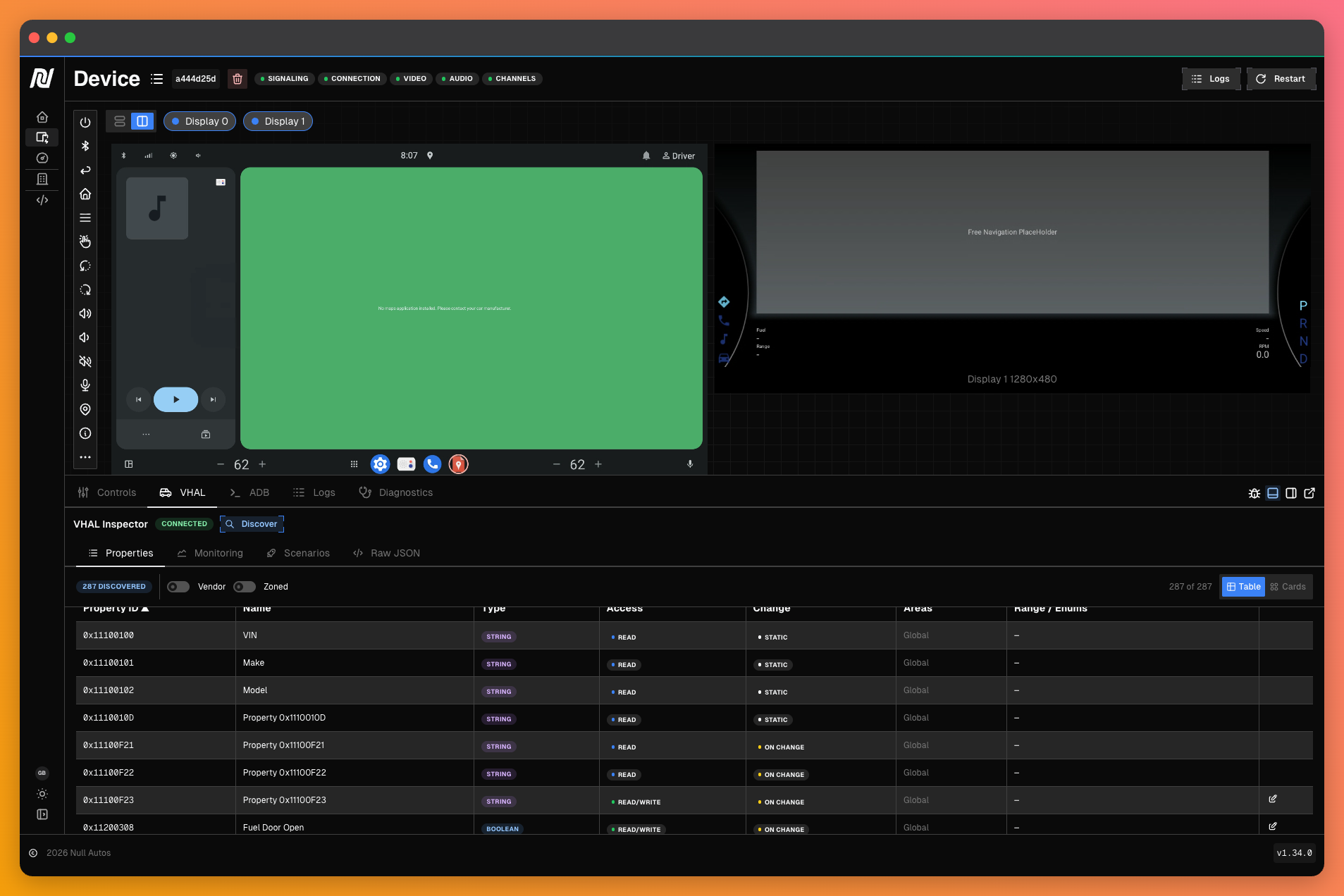
Real-time device logs, ADB commands, and VHAL property management. Read and set VHAL properties to simulate real-world conditions.
- Live VHAL property editor
- Streaming device logs
- Full ADB shell access
- Sensor value simulation
Drive anywhere without leaving your desk
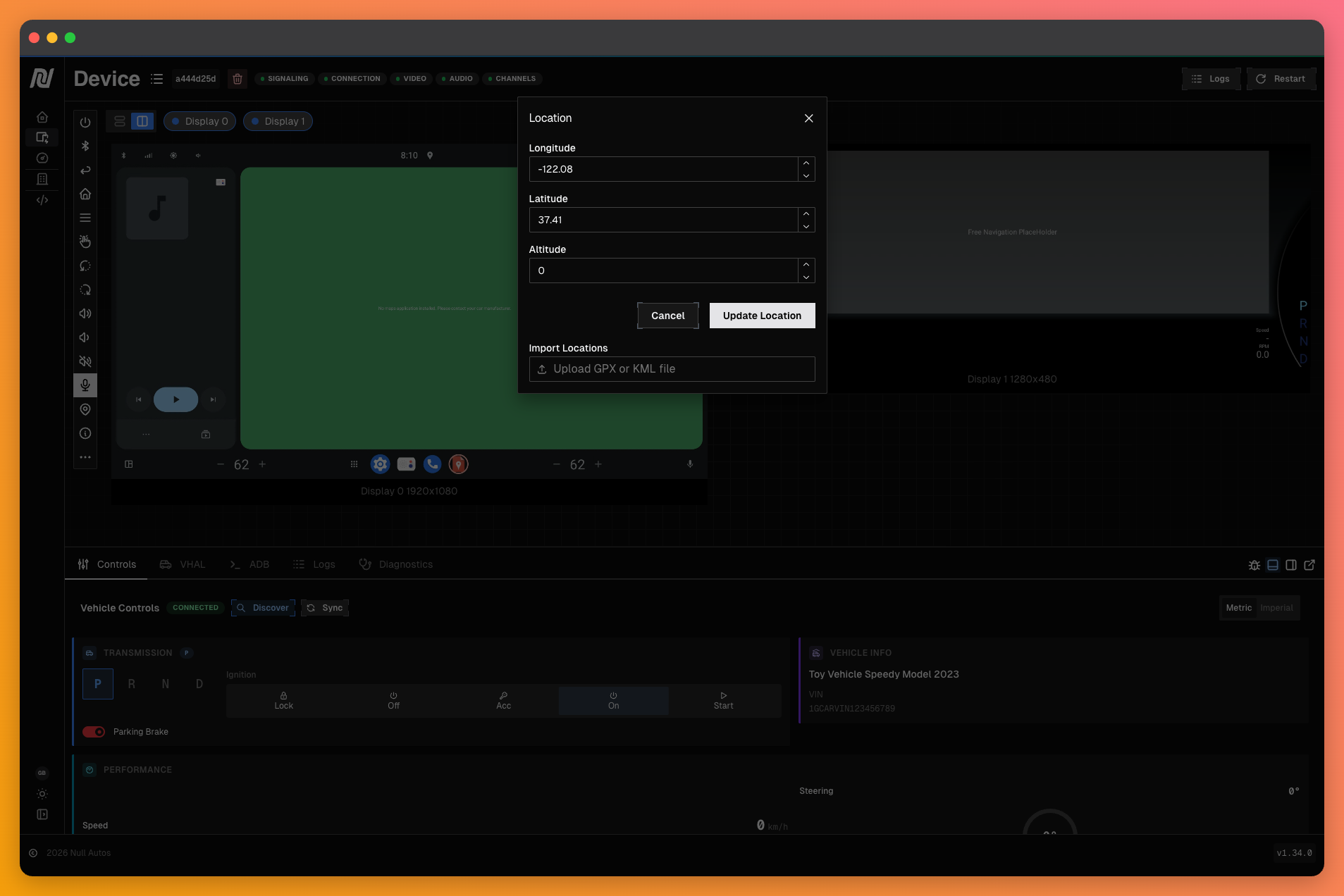
Set the vehicle's GPS position by hand, or upload a spreadsheet of coordinates and play it back as a drive. Test navigation, charging-stop routing, and location-aware apps on a cloud emulator.
- Enter latitude and longitude by hand
- Upload a spreadsheet of waypoints
- Play routes back as a simulated drive
Your next emulator is a browser tab
See multi-display IVI testing and VHAL debugging live on a call.